Direct links and everyday files
Paste a URL using +, or start a browser download. Supported public files are handed to SaliMek with their filename, destination and transfer progress.
Start with: + → paste a URL → OK.Files, videos and playlists, together in one place. Choose a quality, organize your transfers and follow every download from your browser to your PC.
Windows 10 / 11 · x64 · 59.6 MB
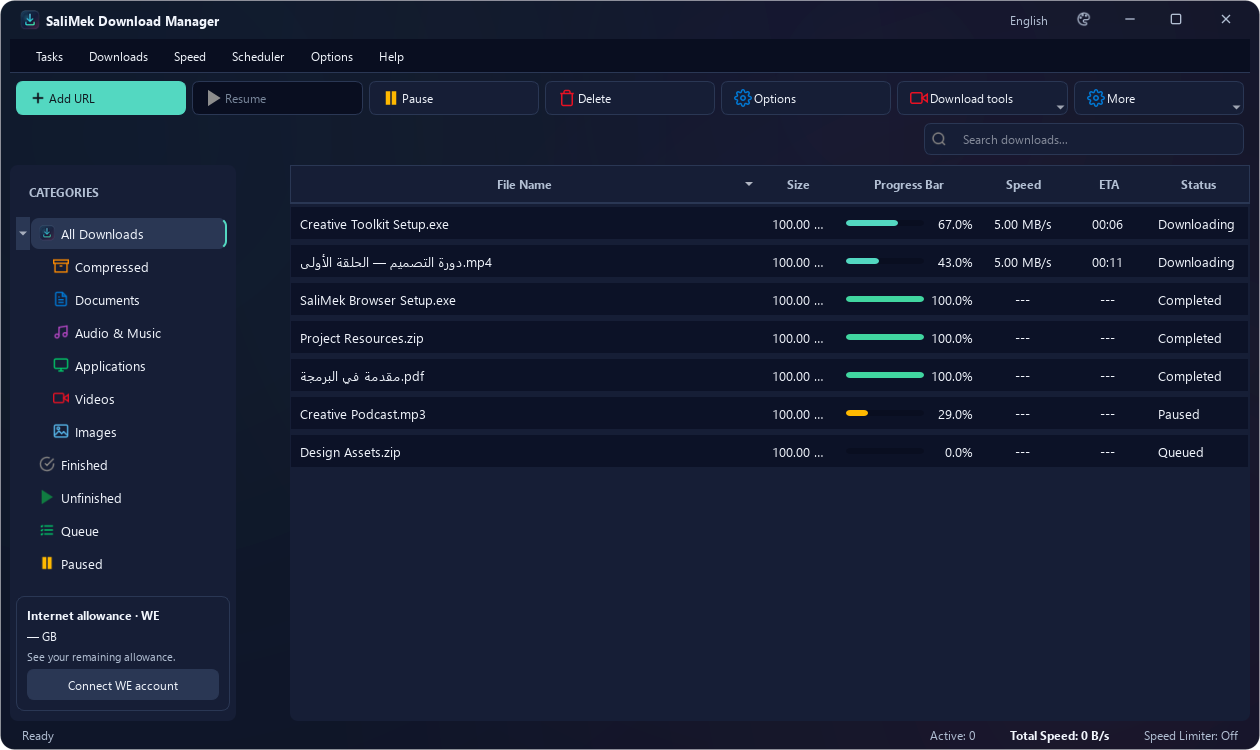
Actual app screenshots with illustrative files and data.
Choose the tool that fits your file. Keep transfer details, destinations and download status together.
Paste a URL using +, or start a browser download. Supported public files are handed to SaliMek with their filename, destination and transfer progress.
Start with: + → paste a URL → OK.Use the SaliMek button on supported videos to see available formats and choose one. Supported sources also offer audio and MP3 choices.
Available formats depend on the website and source.Add a playlist URL, review its entries and choose the videos and quality you want instead of copying each link separately.
Open YouTube playlist from the toolbar or Ctrl+L.Add a torrent file or Magnet link and follow its status alongside your other downloads, using the included torrent tools.
Open Torrent from the toolbar or Ctrl+T.Download an application package from a direct APK URL. A Google Play product page alone does not provide a downloadable APK file.
Use a direct file URL from the application source.Browse your sites and open download links inside SaliMek, with your downloads and favorite sites close at hand.
Open Download browser or use Ctrl+B.Arrange downloads in a queue and use the scheduling controls to choose when your configured transfers run.
Open Scheduler from the toolbar or menus.Set a global or per-file speed limit. Pause and resume when the source server and transfer method support it.
Resume availability depends on the server and link.A SaliMek folder inside Downloads, with categories for video, music, pictures, applications, documents and archives.
Change destinations in Options → Save Paths.File information, transfer progress and completion each have their own window. Keep the main manager nearby in the system tray.
Windows startup can be changed in Options.Install SaliMek, then add SDM Integration Module from your browser store. Integration is automatic, with your preferences and files kept together.
Ready for Windows 10 and 11, 64-bit.Choose from 13 languages and 10 themes. Arabic and Persian use right-to-left presentation, and your preferences are saved locally.
Options → General → Language & Appearance.Follow transferred bytes, speed and the remaining time when enough source information is available. A separate window keeps you focused on the transfer.
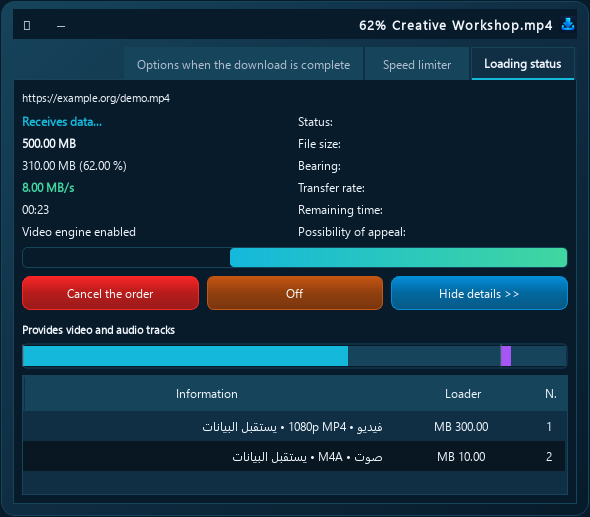
Browser integration is part of the experience: supported public file requests move to the local desktop app, while available video qualities can be selected inside the page.
Click a download link or choose a video quality using the SaliMek button on supported pages.
Install the desktop app and official extension once. Download requests then go straight to SaliMek.
Choose a destination, follow progress and speed, then open your file or folder when finished.
Install SaliMek Manager 2.27.0 from the Chrome Web Store for automatic integration. Also works with Edge, Brave and compatible browsers. The new 2.29.0 extension features arrive after its store update is published.
Install from Chrome Web Store ↗Dedicated Firefox integration on Windows. Install SDM Integration Module from the official Mozilla Add-ons store for automatic integration with SaliMek.
Install from Firefox Add-ons ↗The app and extension must use the same Windows computer and user account. Session-bound Gemini, ChatGPT and Drive downloads stay in the browser. Safari and mobile extensions are not included in this Windows release.
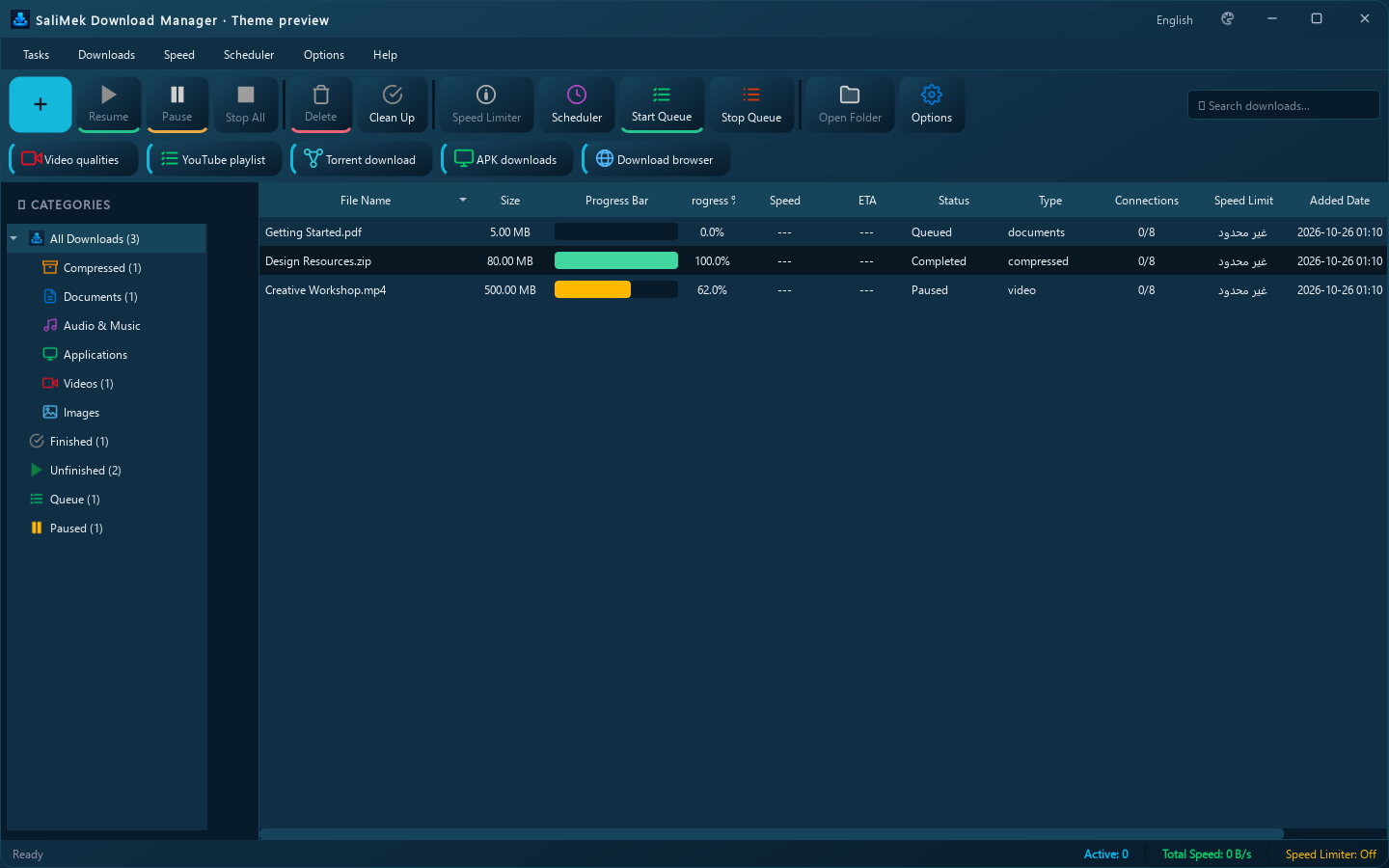
Ocean
From dark glass to calmer colors and light themes. Preview an appearance in Options and save it to apply across the application windows.
Actual application interface with illustrative files and data.
Arabic and Persian use right-to-left presentation. Other languages use their natural direction. Menus, windows and interface messages follow your saved choice.
Download the latest Windows release and follow Setup. SaliMek is ready in the system tray.
Install the official store extension and approve its permissions. See Firefox availability above.
The app and extension connect automatically. Start downloading as soon as both are installed.
Paste a link with + or start from your browser, then choose a quality and destination.
Your download tools, together in one place. Get the latest release, choose your language and theme, and start with a link.
Browser extensions need a separate, approved installation. Check the current status of each extension above.
cc884142550ce0620958ec298e0d67ec9235ba6957931245ae24ef38c786f5f4Choose the installer that matches your system. Windows 10/11 users should use the main download above.
v2.28.25 · 34.8 MB · x86
Download 32-bit installer2411f229dbc653e256b93203b1ec1168036ee0b01c88cf7e81e533686e4efb4fv2.28.25 · 40.4 MB · x64
Download 64-bit installer97fa1ed525dce13bd41e700477ad756386b589460007c97238f7fc27d0553b44Compatibility testing is still in progress. Built with Python 3.8.10 and Qt 5.15.2.1; installer, launch and local download integrity checks ran on Windows 10. Not yet tested on a real Windows 7 system. Installers are unsigned.
FFmpeg/FFprobe and aria2 are not bundled. Merging, MP3 conversion, preview and torrents require Windows 7 and architecture-compatible tools on PATH. The older media engine may not work with current websites. Modern WebView2 WE quota reading is unavailable; the download browser opens your system browser.
Automatic update checks with Update now / Remind me in 1 day. Independent signed x86/x64 channels verify the installer before it runs. Separate installation folders and user profiles. macOS and Linux installers are not available yet.
What to expect during installation, browser setup and your first transfer.
Yes, SaliMek is a completely free, modern alternative to IDM without trial periods, serial keys, or malware. It offers multi-threaded connection splitting for maximum download acceleration, automatic resumption, Chrome and Firefox extensions, as well as native support for downloading torrents and YouTube playlists.
Download SaliMek using the download button, follow Setup, then add your first link with +. Add the official extension to use browser integration.
Yes. Install the app and official extension on the same Windows computer. Integration is automatic, with no extension ID or Connect step.
Chrome, Edge, Brave, Opera, Vivaldi and Chromium, plus a dedicated Firefox extension. See the browser section for store links and availability.
Choose the formats and qualities offered by supported sources. Protected content and some websites do not offer a download option.
Pause and resume when the file source supports it. Expired temporary links may need to be refreshed on the source website.
A notification appears when a newer release is available. Review the changes, then choose to download and install it. Your preferences and history are preserved.
In Downloads, inside SaliMek Download Manager, organized by file type. Choose another destination in Options.
The current release supports 64-bit Windows 10 and Windows 11. Choose from 13 interface languages, including Arabic and Persian, and 10 themes.
If SaliMek makes your downloads easier, optional support helps us keep improving it. Choose PayPal, InstaPay or Vodafone Cash.
abumacca1@instapay
Support with InstaPay ↗Wallet number for optional developer support
01201320001
The PayPal button loads content from PayPal when displayed and is subject to its privacy policy. Payment details are entered with the provider.